Known Issues Details
 Known Issue with Zoom to Selected feature from Basic Info form
When selecting map features on the map and viewing them in the Basic Info form, the user can scroll through the attributes for each selected feature while the feature in focus is highlighted on the map. When the user selects the Zooms to selected feature option  on the Basic Form, the map is zoomed to the extents of the feature, however the selection outline does not re-display correctly.
In the example below, there are 5 land parcels in the selection set which are highlighted on the map using the preferred selection color. The parcel in focus on the map has the associated attributes displayed in the Basic Info pane.
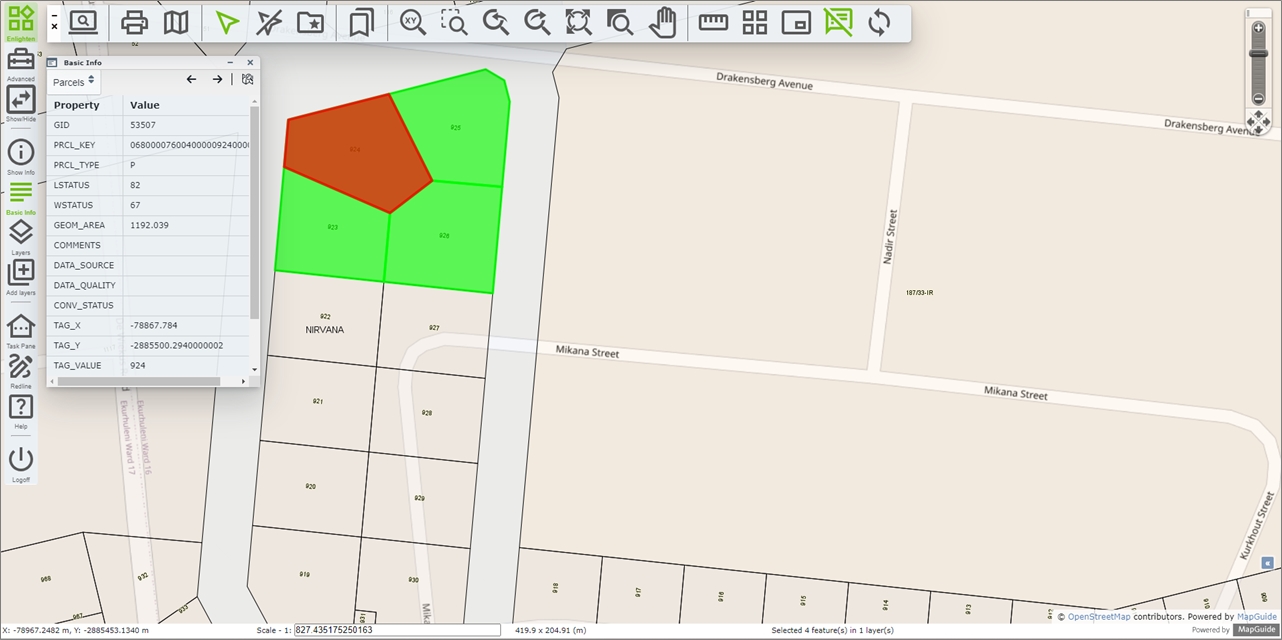
Fig: Selection set of Parcels with one parcel in focus
When the user selects the Zooms to selected feature option, the map correctly zoomed to the extents of the feature, however the highlighted polygon indicating the parcel in focus on the Basic Info pane is not not being resized to the new zoom scale.
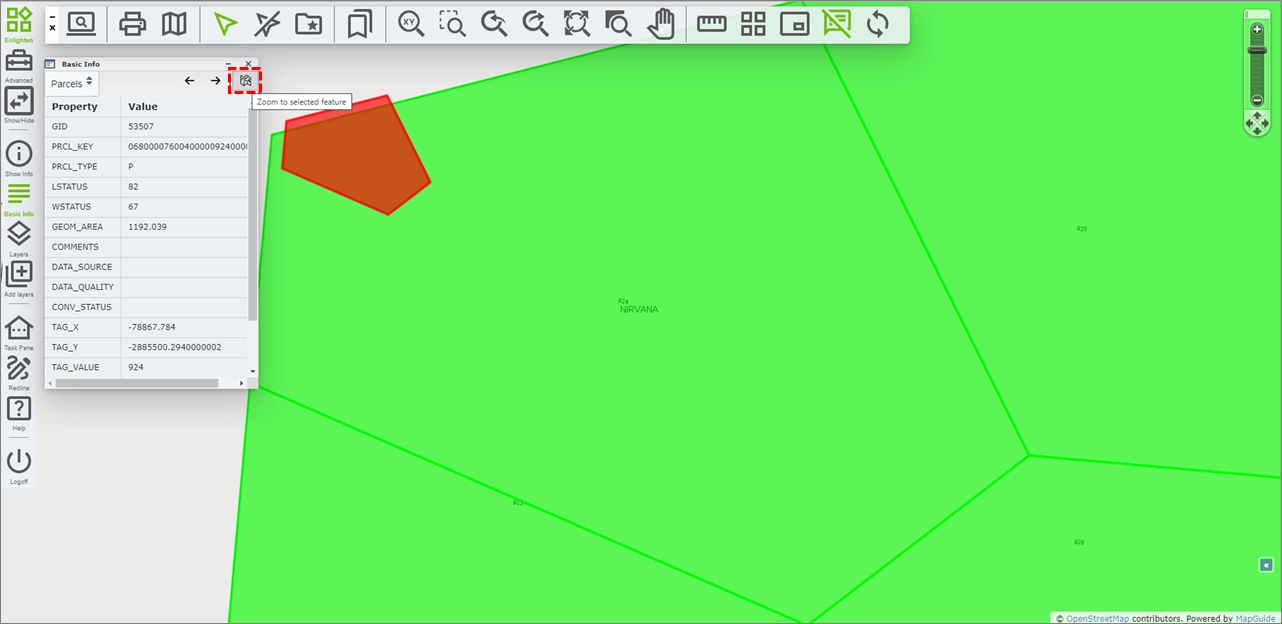
Fig: Selection polygon not resized to new zoom scale
SHP files not yet supported when adding Local File based Layers
When adding a Local file-based layer using the Add / Manage Layer pane, only the formats listed below are currently supported, which excludes SHP files.
- GeoJSON/TopoJSON
- KML
- GPX
- IGC
External Layers not available for Plot Applications or Quick Plot functions
All external layers added during an enlighten session are temporary and are removed from the Layers pane once the enlighten session is closed. These external layers, including WMS/WFS Layers, are not available for inclusion when generating plots using the enPlot Plot Engine function, nor are the Layers available for inclusion in the QuickPlot function, both of which are available on the enlighten Toolbar.
Known issue of plotting of Redline Objects on Pre-Defined Plots
There is a known issue in Enlighten 5.0 with the Plotting of Redline Objects on Pre-Defined Plots. Currently plotting of redline objects works for General Plots, not on Pre-Defined Plots.